Viewer Settings
00 - Grids
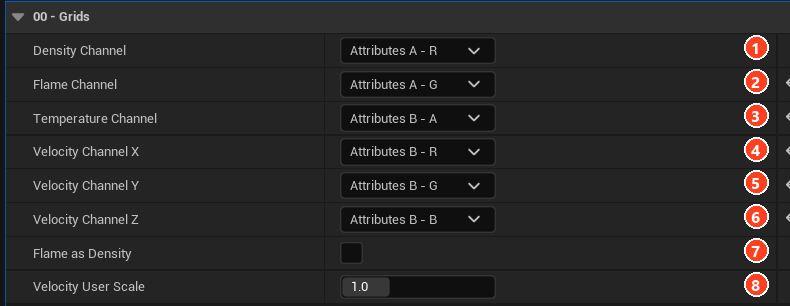
| Setting | Default | Description |
|---|---|---|
| Density Channel | Attributes A - R | Opacity source. |
| Flame Channel | None | How much is burning. Set on import. |
| Temperature Channel | None | Fire colour source. Set on import. |
| Velocity Channel X, Y, Z | None | Velocity components. Set on import. |
| Flame as Density | Off | Uses flames as density when there is no density grid. |
| Velocity User Scale | 1 | Artistic multiplier on calibrated advection. |
01 - Density
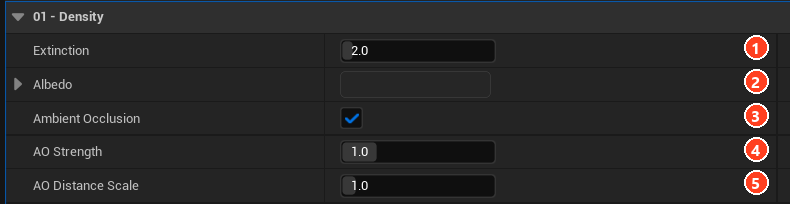
| Setting | Default | Description |
|---|---|---|
| Extinction | 2 | Absorption per world unit. |
| Albedo | Linear 0.0196 | Scattering colour. |
| Ambient Occlusion | On | Darkens skylight inside dense smoke. |
| AO Strength | 1 | Amount of darkening. |
| AO Distance Scale | 1 | Lookup reach, relative to the scatter radius. |
02 - Emission
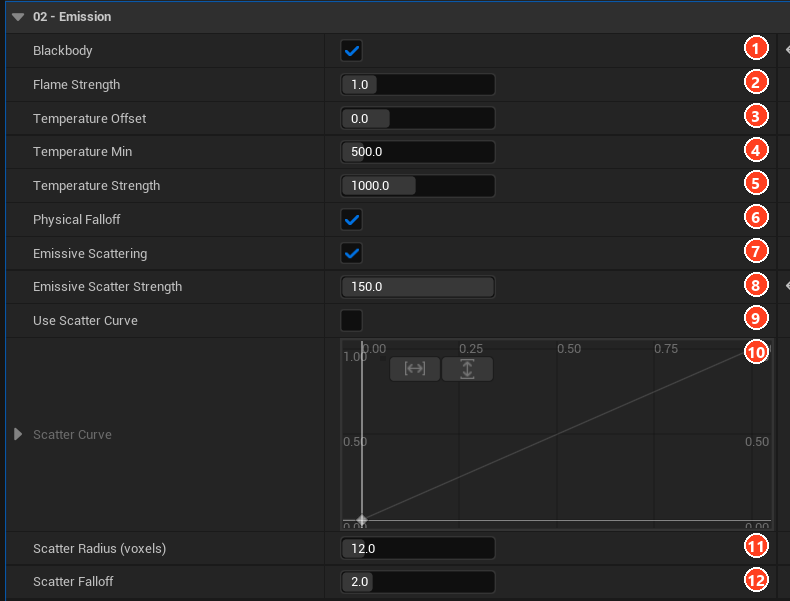
| Setting | Default | Description |
|---|---|---|
| Blackbody | Off, on with a temperature channel | Physically based fire. |
| Flame Strength | 1 | Scales temperature before the colour lookup. |
| Temperature Offset | 0 | Added Kelvin. |
| Temperature Min | 500 | Kelvin below which nothing emits. |
| Temperature Strength | 1000 | Brightness. |
| Physical Falloff | On | T⁴ emission scaling. |
| Emissive Scattering | On | Fire lights surrounding smoke. |
| Emissive Scatter Strength | 30 | Spill amount. |
| Use Scatter Curve | Off | Reshapes spill with Scatter Curve (viewer only). |
| Scatter Radius (voxels) | 12 | Spill reach. Also the BAKE SCATTER kernel. |
| Scatter Falloff | 2 | Lower values travel further. |
Colorize Flames and Colorize Smoke appear while Blackbody is off: Source, Gradient Texture, Gradient Curve, range and Intensity.
03 - Remap
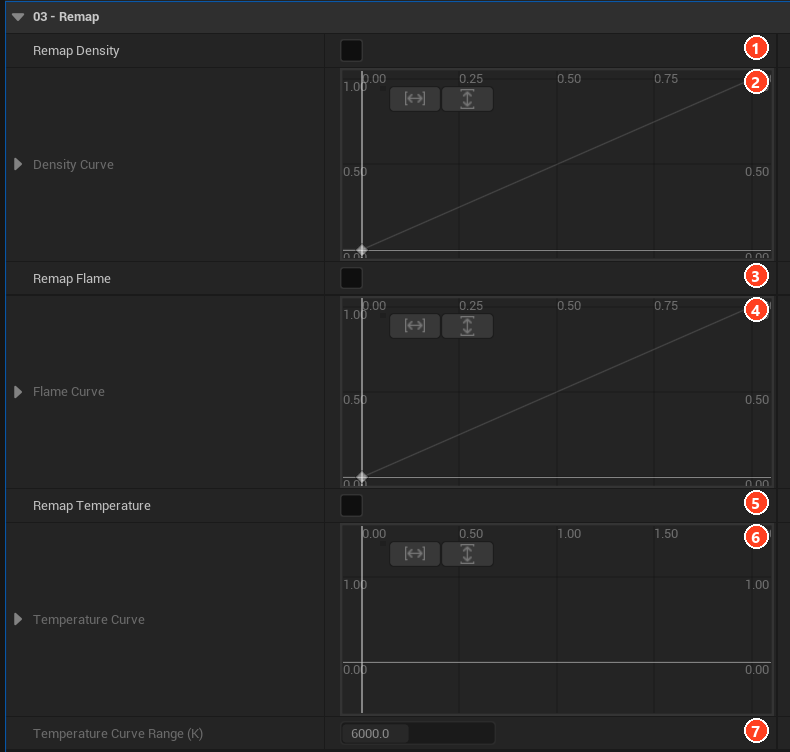
| Setting | Default | Description |
|---|---|---|
| Remap Density / Density Curve | Off | Stored density to density used. |
| Remap Flame / Flame Curve | Off | Stored flame to flame used. |
| Remap Temperature / Temperature Curve | Off | Kelvin in, Kelvin out. |
| Temperature Curve Range (K) | 6000 | Curve span. Higher values clamp. |
04 - Micro Detail
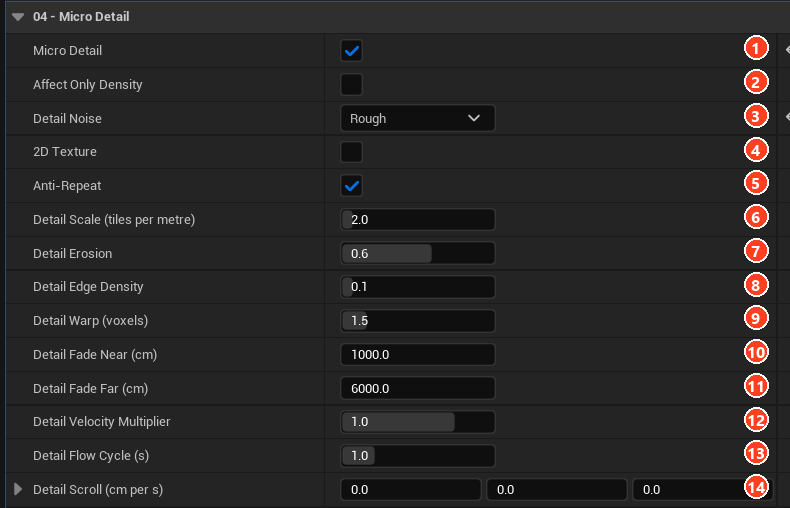
| Setting | Default | Description |
|---|---|---|
| Micro Detail | Off | Enables detail noise. |
| Affect Only Density | Off | Leaves flames untouched. |
| Detail Noise | Puffy | Puffy, Rough, Cracks, Wispy, Grainy. |
| 2D Texture | Off | Tri-planar noise. |
| Anti-Repeat | On | Hides tiling. |
| Detail Scale (tiles per metre) | 2 | Noise size. |
| Detail Erosion | 0.6 | Thin smoke removed. |
| Detail Edge Density | 0.1 | Erosion limit. |
| Detail Warp (voxels) | 1.5 | Lookup displacement. |
| Detail Fade Near / Far (cm) | 1000 / 6000 | Fade range. |
| Detail Velocity Multiplier | 1 | How much noise follows the smoke. |
| Detail Flow Cycle (s) | 1 | Shorter stretches less, longer cycles less visibly. |
| Detail Scroll (cm per s) | 0 | Constant drift. |
05 - Loop
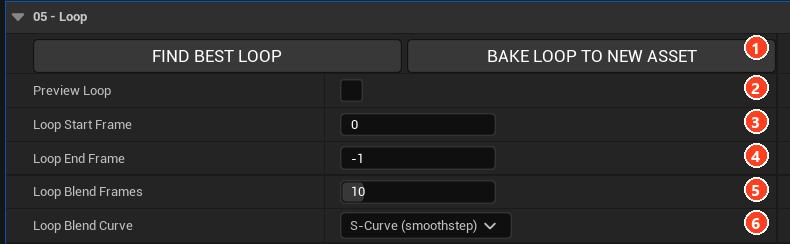
| Setting | Default | Description |
|---|---|---|
| Preview Loop | Off | Plays the authored loop. |
| Loop Start Frame | 0 | First frame. |
| Loop End Frame | -1 | Last frame. -1 is the sequence end. |
| Loop Blend Frames | 10 | Seam length, clamped to half the region. |
| Loop Blend Curve | S-Curve | Linear, S-Curve, Smoother, Ease In, Ease Out, Custom. |
06 - Clip
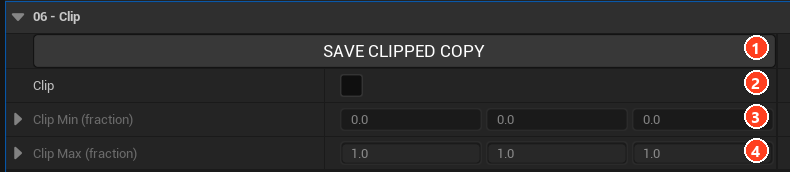
| Setting | Default | Description |
|---|---|---|
| Clip | Off | Cuts to a box. |
| Clip Min / Max (fraction) | 0 / 1 | Box corners per axis. |
07 - Data Visualization

| Setting | Default | Description |
|---|---|---|
| Velocity Mode | Off | Direction as colour, Magnitude ramp, Blend residual. |
| Velocity Scale | 10 | Magnitude at the top of the ramp. |
| Velocity Gain | 1 | Visualization multiplier. |
RayMarching
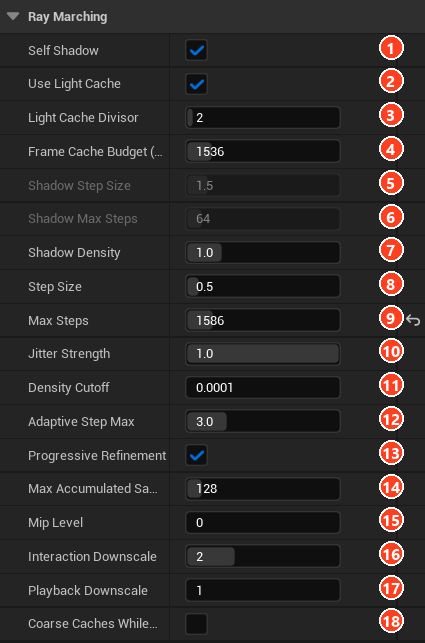
| # | Setting | Default | Description |
|---|---|---|---|
| 1 | Self Shadow | On | Volume shadows itself. |
| 2 | Use Light Cache | On | Biggest performance lever. |
| 3 | Light Cache Divisor | 2 | Cache resolution divisor. |
| 4 | Frame Cache Budget (MB) | 1536 | Memory for per-frame grids. |
| 5 | Shadow Step Size | 1.5 | Used with the light cache off. |
| 6 | Shadow Max Steps | 64 | Used with the light cache off. |
| 7 | Shadow Density | 1 | Extinction for shadow rays. |
| 8 | Step Size | 0.5 | Voxels per step. |
| 9 | Max Steps | 1024 | Derived from the volume when opened. |
| 10 | Jitter Strength | 1 | Hides banding. |
| 11 | Density Cutoff | 0.0001 | Skip threshold. |
| 12 | Adaptive Step Max | 3 | Longer steps in thin regions. |
| 13 | Progressive Refinement | On | Averages frames at rest. |
| 14 | Max Accumulated Samples | 128 | Refinement limit. |
| 15 | Mip Level | 0 | Sampled resolution. |
| 16 | Interaction Downscale | 2 | Divisor while the camera moves. |
| 17 | Playback Downscale | 1 | Divisor during playback. |
| 18 | Coarse Caches While Playing | Off | Cheaper caches during playback. |
View
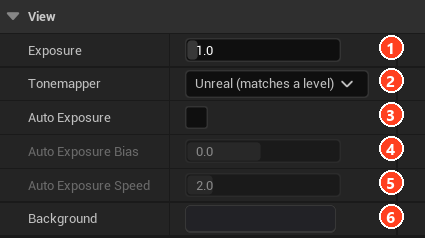
| # | Setting | Default | Description |
|---|---|---|---|
| 1 | Exposure | 1 | Manual multiplier. |
| 2 | Tonemapper | Unreal | Unreal, ACES 1.0 SDR (OCIO), ACES, AgX-style, None. |
| 3 | Auto Exposure | Off | Meters the volume. |
| 4 | Auto Exposure Bias | 0 | Stops added to the metered exposure. |
| 5 | Auto Exposure Speed | 2 | Adaptation speed. |
| 6 | Background | Near black | Flat backdrop. |
Show
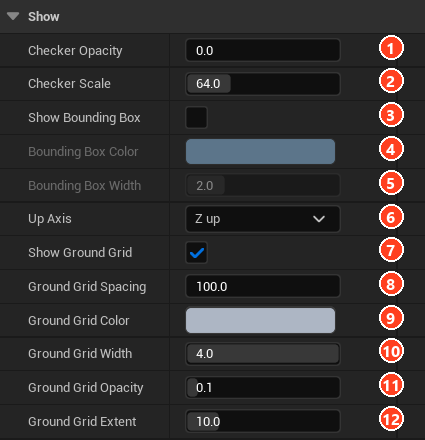
| # | Setting | Default | Description |
|---|---|---|---|
| 1 | Checker Opacity | 0 | Transparency reference. |
| 2 | Checker Scale | 64 | Square size in pixels. |
| 3 | Show Bounding Box | Off | Wireframe of the bounds. |
| 4 | Bounding Box Color | Blue | Line colour. |
| 5 | Bounding Box Width | 2 | Line thickness. |
| 6 | Up Axis | Z | Display only. |
| 7 | Show Ground Grid | On | Reference floor. |
| 8 | Ground Grid Spacing | 100 | Cell size. 0 is automatic. |
| 9 | Ground Grid Color | Grey | Line colour. |
| 10 | Ground Grid Width | 4 | Line thickness. |
| 11 | Ground Grid Opacity | 0.1 | Grid strength. |
| 12 | Ground Grid Extent | 10 | Reach, as a multiple of the volume's diagonal. |