Disturbance
Disturbance lets gameplay cut tunnels through a volume and push its smoke. It works in levels, Play In Editor, Movie Render Queue and packaged games, but not in the viewer.
A small 3D field is allocated on the first hit and simulated for a few seconds after the last one. At the default resolution it uses about 6 MB of video memory per disturbed volume, and nothing when idle.
The material's Disturbance (bullets and swings) switch is on by default. Materials made before this feature need UPDATE MATERIAL.
Trying it
Place a VDB Studio Disturbance Tester and aim its arrow at a volume. In the Details panel, press Fire Bullet, Fire Projectile or Swing. It also fires automatically during play, every Auto Fire Interval (0.1 s by default): set that to 0 to stop.
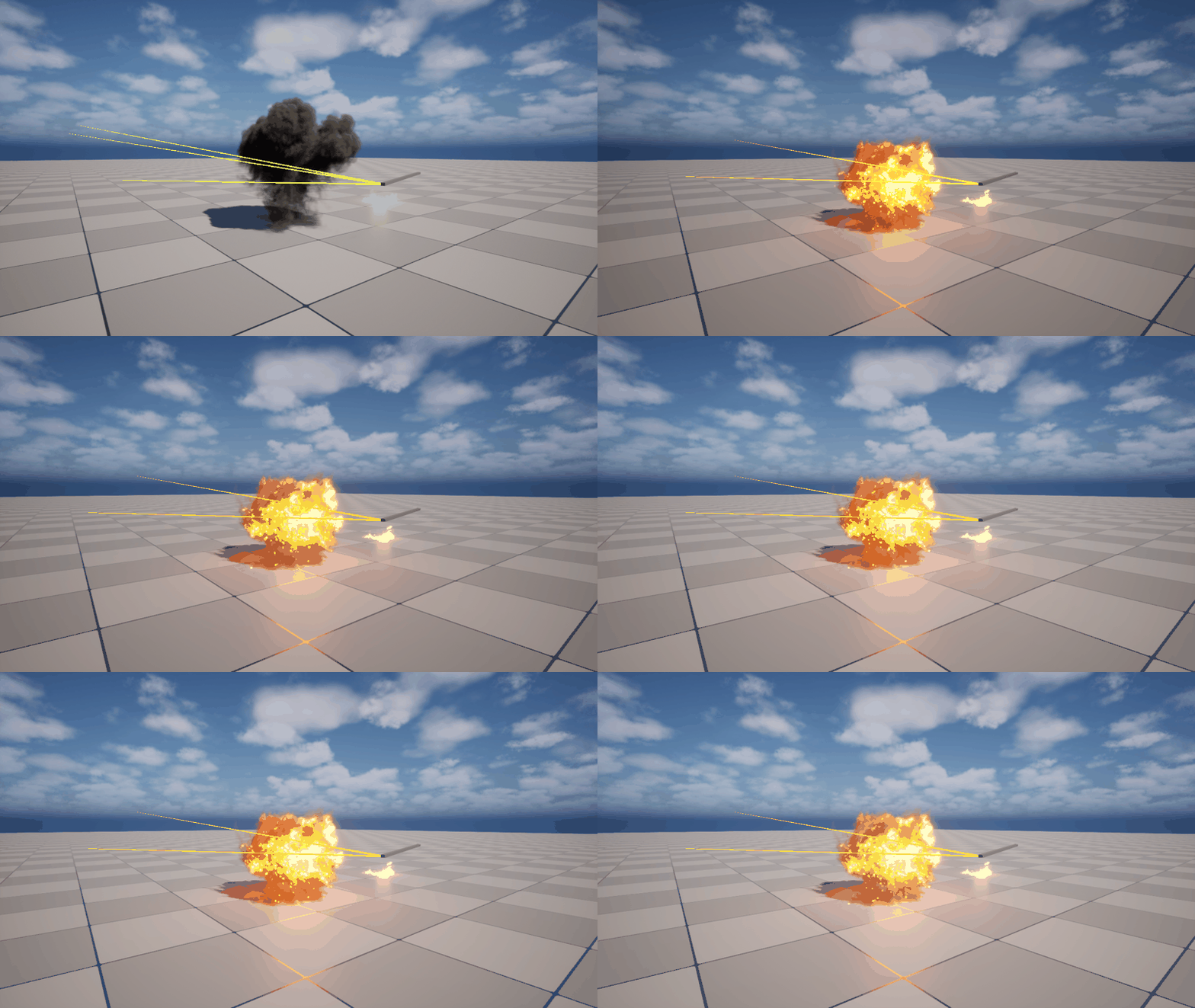
The debug tracer lines show each shot. Turn on Draw Tracer on the tester to see them.
For Sequencer, key Bullet Trigger or Projectile Trigger with stepped keys 0, 1, 2: each change fires once. Key Swing Progress from 0 to 1 for a swing that follows your timing.
Blueprint
Heterogeneous Volumes have no collision, so a line trace never hits one. Call these nodes beside your trace. Each returns how many volumes it hit.
| Node | Use |
|---|---|
| Fire Bullet Through Volumes | One shot along a line. |
| Disturb Volumes Along Line | A cut with full control of velocity. Call per tick along a blade for an animated sword. |
| Disturb Volumes Along Projectile | From a projectile's Tick, with its previous and current location. |
| Fire Projectile Arc Through Volumes | A whole ballistic flight at once. |
| Swing Through Volumes | A whole swing at once. |
Exact parameters are in the Blueprint reference.
Tuning
The effect depends on the volume's size and motion, so expect to adjust it per volume. Start with Push Scale: the explosion in the clip above uses 100, against the default of 1.
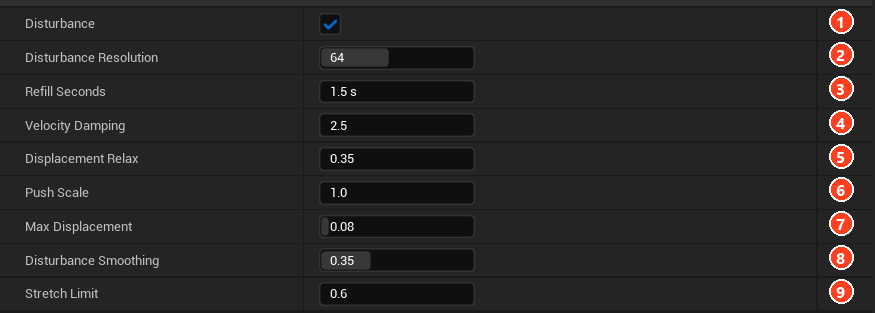
| # | Setting | Default | Description |
|---|---|---|---|
| 2 | Disturbance Resolution | 64 | Field voxels along the longest side. A hole needs about 3 across to look round. |
| 3 | Refill Seconds | 1.5 | Time for a tunnel to close. |
| 4 | Velocity Damping | 2.5 | How fast the push dies out. |
| 5 | Displacement Relax | 0.35 | How fast pushed smoke returns. |
| 6 | Push Scale | 1 | Multiplies every hit's velocity. |
| 7 | Max Displacement | 0.08 | Largest displacement, as a fraction of the volume. |
| 8 | Disturbance Smoothing | 0.35 | Softens streaky edges. |
| 9 | Stretch Limit | 0.6 | Limits stretching at disturbance edges. 0 is no limit. |
Each cut also has Raggedness, which varies the radius with noise, and Edge Softness, the outer part of the radius that fades.
A hole in dark smoke against a dark sky is invisible. Test against something lit.